Here's how to sign out of your patient account on the OneDoc app:
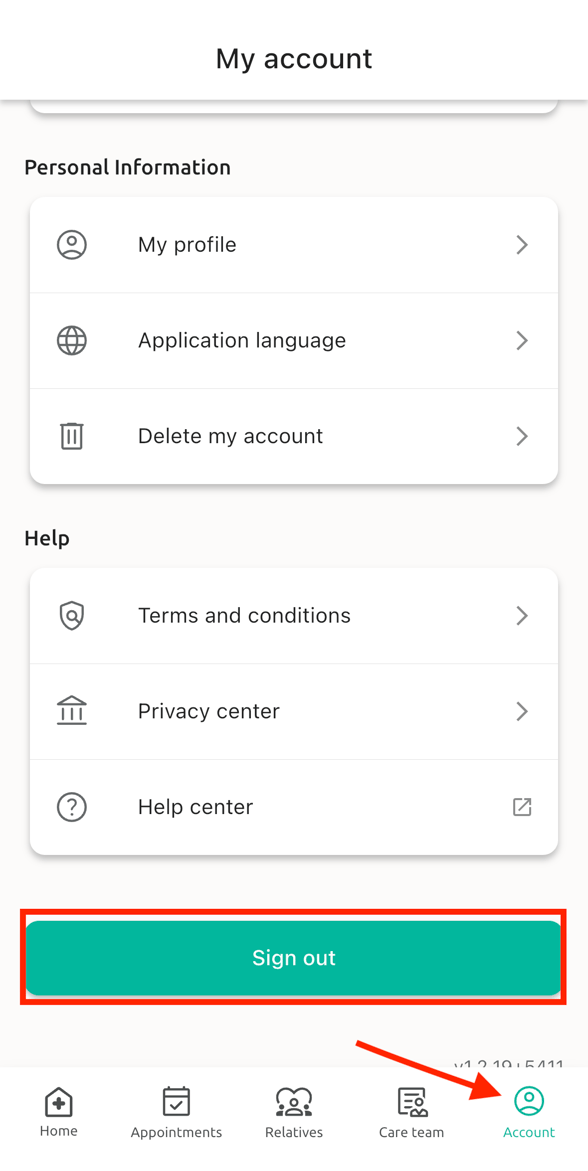
1. Click on "Account" at the bottom right of the screen
2. Then click on "Sign out"
3. Finally, click on "Confirm"
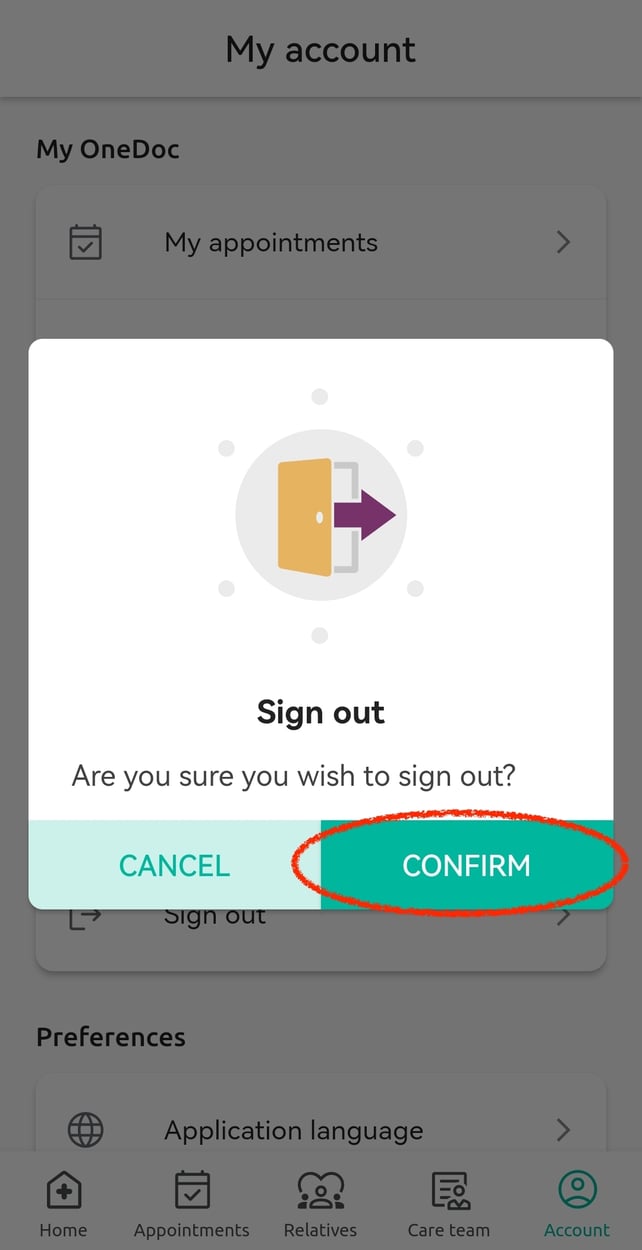
After, you will be signed out of your OneDoc account!

Here's how to sign out of your patient account on the OneDoc app:
1. Click on "Account" at the bottom right of the screen
2. Then click on "Sign out"
3. Finally, click on "Confirm"
After, you will be signed out of your OneDoc account!
We will only respond to requests regarding your OneDoc account; other requests will not be answered. Thank you for your understanding. Contact our patient support team by clicking on the following link: contact form.