
Here is how to log in to your account via the mobile app:
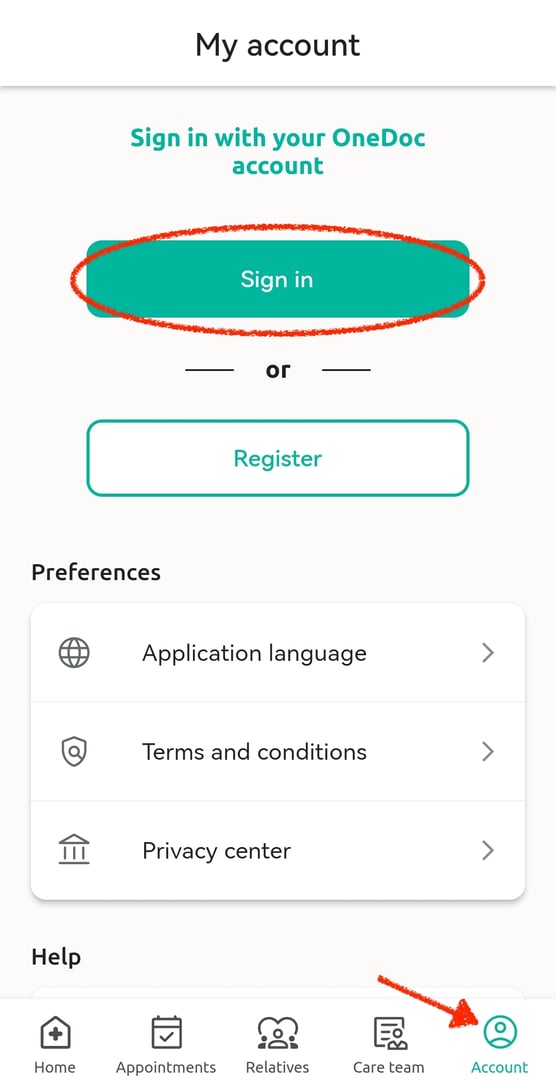
1. On the main page, click on "Account" at the bottom right of the page.
2. Then simply click on "Sign in" to connect to your account.
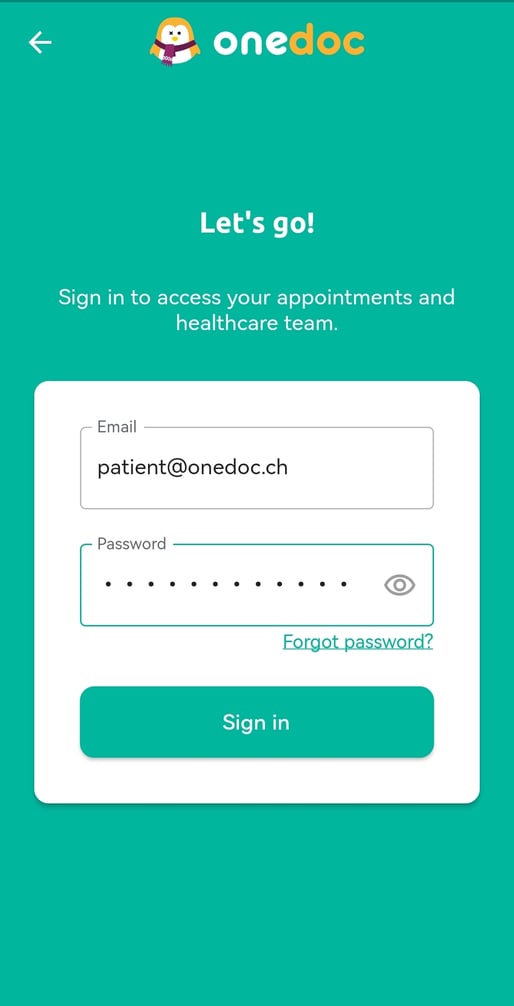
3. After, you can enter your email address and password and finally click on "Sign in".
Please note:
If you do not remember your password, you can click on "Forgot password?" to reinitialize it.