In order to simplify the use of the application, this article presents its main features:
Home
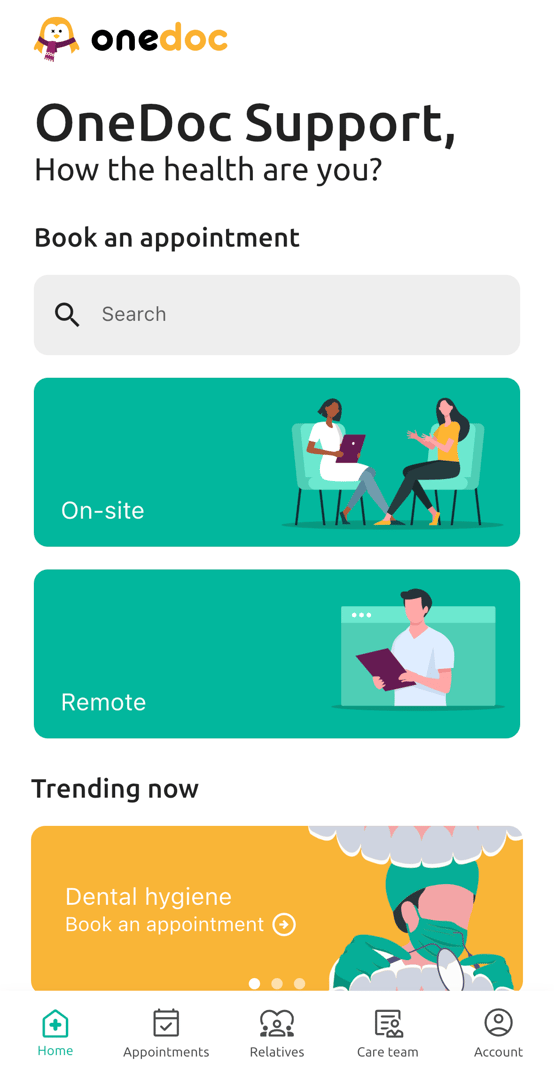
From the main page you can search for doctor/therapist by name, by specialty or by establishment (in the search bar). You are also able see your next appointment, as well as your popular searches.
Appointments
This page allows you to view your future, past and cancelled appointments.
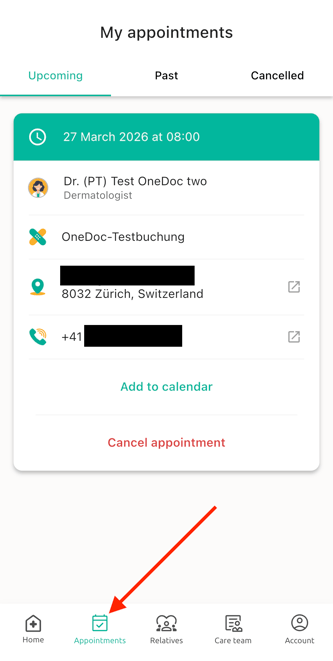
Here you can also add appointments to your smartphone calendar, or cancel your future appointments.
Relatives
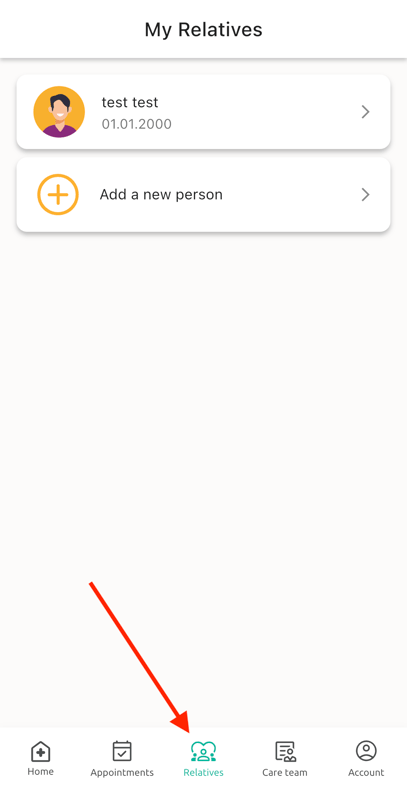
In this tab you can see all the relatives you have already booked an appointment. You can also manage the personal data of your relatives here or add more.
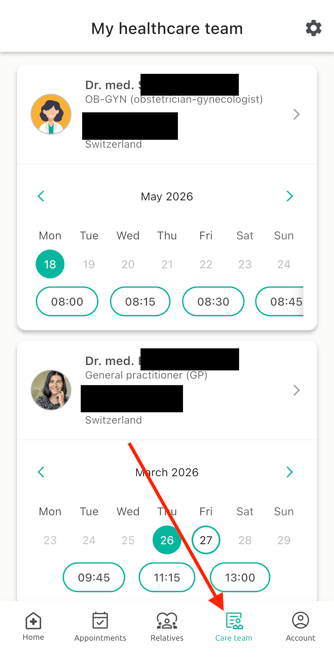
Care team
This page allows you to view the doctors, therapists or centers with whom you have already booked online appointments via OneDoc.
Account
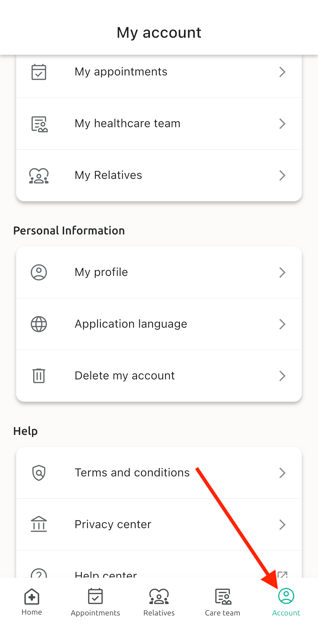
From this page, you can access different sections.
My OneDoc:
- My appointments: shortcut to access the "Appointments" tab also present in the main menu bar
- My healthcare team: shortcut to access the "Care team" tab also present in the main menu bar
- My Relatives: shortcut to access the "Relatives" tab also present in the main menu bar
Personal Information
-
My account: Here you can modify all your personal OneDoc information (name, email address etc...)
- Delete my account: Allows you to permanently delete your OneDoc account
- Sign out: Allows you to sign out of your OneDoc account
Preferences:
-
Application language: You can choose in which language to use the OneDoc application (FR / EN /DE / IT)
-
Terms and conditions: Includes the general terms and conditions of use of the OneDoc platform
- Privacy center: Gathers information about OneDoc's privacy policy for users
Help:
- Help Center: Allows you to access our help center, with many articles to help you better use our online booking platform OneDoc