
To change your password, you must be signed in to your OneDoc account. If you need help signing in to your OneDoc account, you can follow these steps: sign in to my OneDoc account.
If you are already signed in to your OneDoc account:
- Click on the button “My account” on top left of the onedoc.ch page
- Select “My profile” from the drop-down bar

- Click on “Change my password”
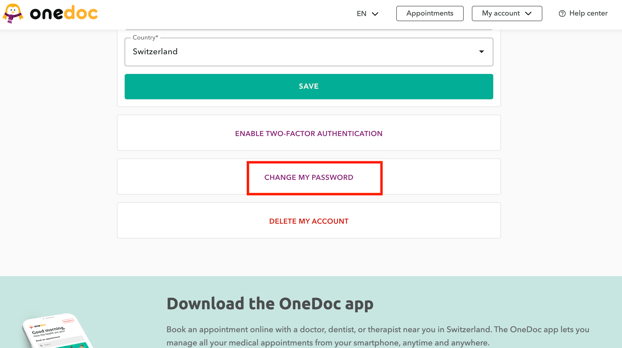
- Enter your current password
- Then choose your new password, and confirm it by writing it a second time
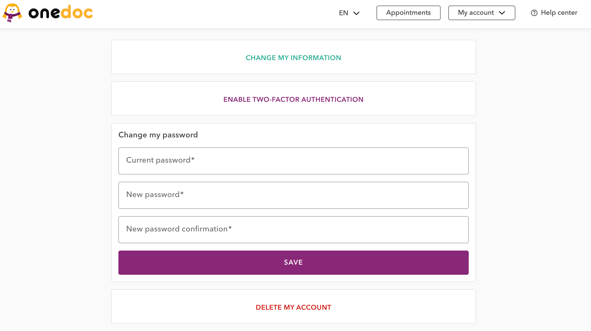
- Save your new password by clicking on “Save”
Don’t remember your password?
In this case, you must first sign out of your OneDoc account by clicking on “My account” button on the top right of the page OneDoc and then selecting “Sign out” from the drop-down menu. Then simply follow these instructions to reset your password.